TerraMaster NAS Review 2026: Best F-Series Model for Your Setup
A TerraMaster NAS review comparing the hybrid F4-425 Plus and the 6-bay F6-424 — real specs, RAID options, and who each model actually fits.
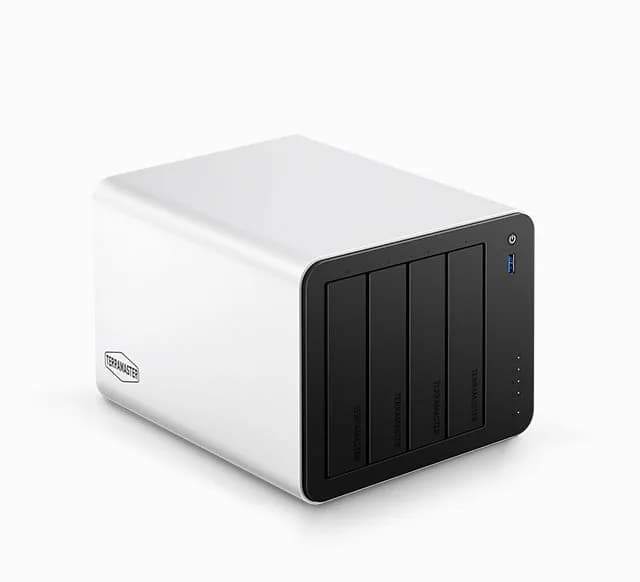
How TerraMaster NAS systems work
This TerraMaster NAS review breaks down two hybrid storage systems from TerraMaster's F-Series — the F4-425 Plus and the F6-424 — so you can decide which one actually fits a home office, a media server, or a small-business backup setup before you buy from TerraMaster.
Key Highlights
- The F4-425 Plus pairs 4 HDD bays with 3 M.2 NVMe slots for a true hybrid storage tier and up to 144TB of raw capacity.
- The F6-424 adds two more bays and full RAID 5/6/10 and TRAID support for small-business redundancy.
- TerraMaster's TRAID technology reclaims roughly 30% more usable space than traditional RAID when drives are mismatched in size.
- RAID 6 tolerates two simultaneous drive failures, which is why 6-bay systems like the F6-424 are the practical entry point for it.
The F4-425 Plus is the sharper pick for a hybrid home/media NAS; the F6-424 is the better base for growing small-business storage.
Neither model is a plug-and-forget appliance — you still choose your own drives, RAID/TRAID layout, and network gear. If you want that control with a hybrid SSD-cache option, the F4-425 Plus fits; if you need more bays for RAID 6 redundancy, the F6-424 fits.
Check current price at TerraMasterHow TerraMaster NAS systems work
A TerraMaster NAS review has to start with the basic architecture, because both F-Series models reviewed here are hybrid systems, not plain hard-drive boxes. A hybrid NAS pairs traditional 3.5" HDD bays for bulk archival storage with dedicated M.2 NVMe SSD slots that can be used for caching, database acceleration, or frequently-accessed files. That split matters more in 2026 than it used to, since SSD prices have risen roughly 130% on surging AI data-center demand, making HDDs the more practical choice for high-capacity archival tiers while a small NVMe allocation still buys you fast read/write performance where it counts.
On the F4-425 Plus, that architecture is delivered by an Intel N150 quad-core processor (up to 3.6 GHz) with 16GB of DDR5 RAM and dual 5GbE network ports, capable of sequential write speeds up to 1020 MB/s and 4K video decoding. The F6-424 trades some of that per-drive speed for capacity and redundancy headroom: an Intel N95 quad-core processor (up to 3.4 GHz), 8GB of DDR5 RAM expandable to 32GB, dual 2.5GbE ports, and hardware transcoding for H.264, H.265, and MPEG-4 up to 4K/60fps.
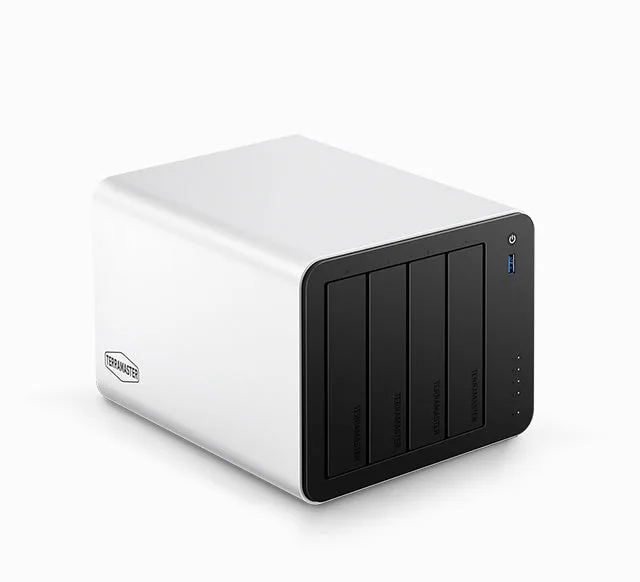
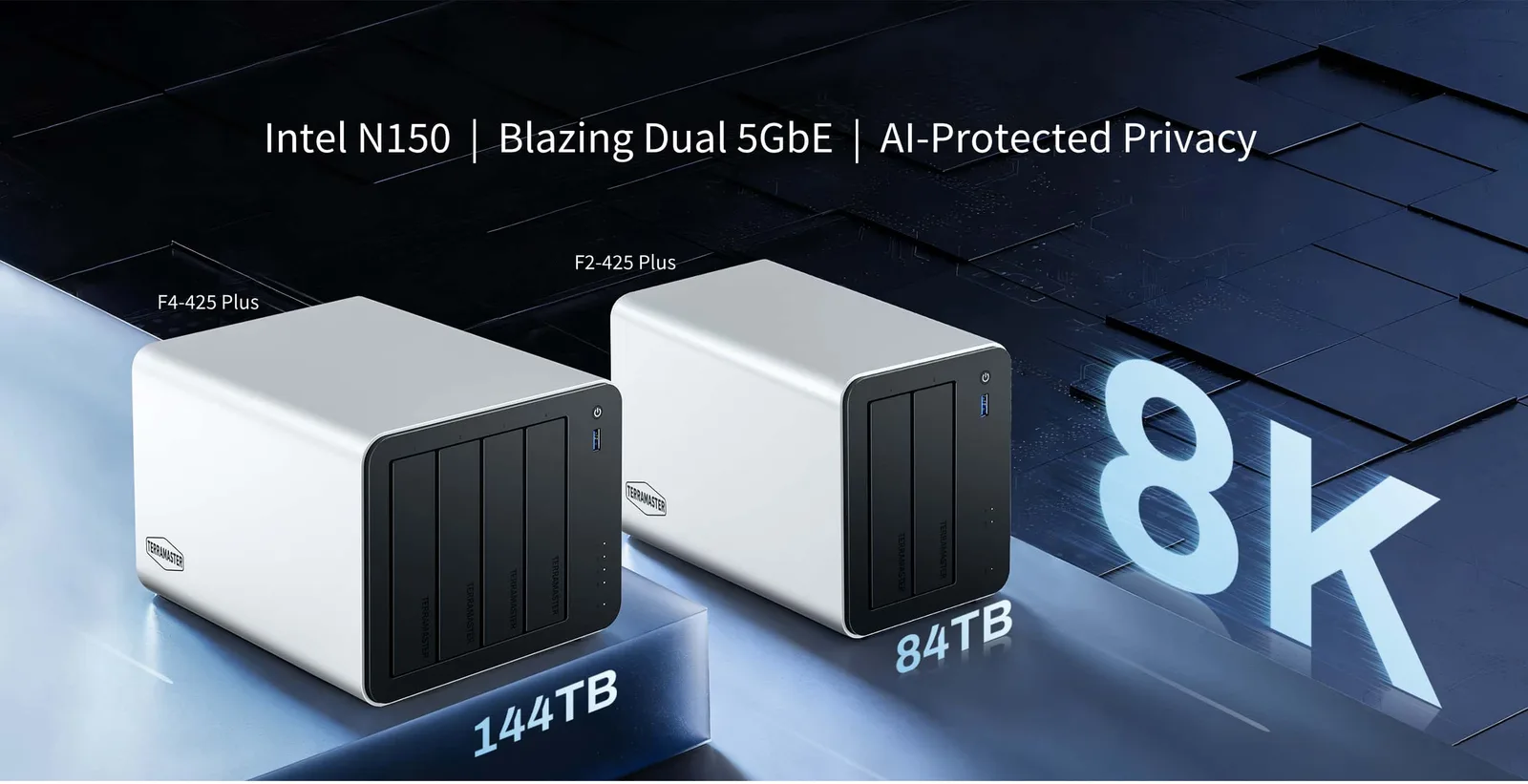
TerraMaster F4-425 Plus
4-bay hybrid NAS with 3 NVMe slots, dual 5GbE, and up to 144TB raw capacity.
Check current priceChoosing between the F4-425 Plus and F6-424
Picking the right TerraMaster model comes down to how many drives you actually plan to run and what level of drive-failure protection you need, not just raw specs on a page. Work through these steps before you buy:
- Count your drives, not your budget. RAID 5 needs a minimum of 3 drives and tolerates one drive failure; RAID 6 needs at least 4 drives and tolerates two simultaneous failures. If you only plan to run 3-4 drives, the F4-425 Plus's 4 bays are enough for RAID 5. If you want RAID 6-level protection with room to grow, the F6-424's 6 bays give you more headroom.
- Decide if you need a dedicated SSD tier. The F4-425 Plus's 3 NVMe slots are built for caching or running a database/VM tier alongside HDD bulk storage. The F6-424 leans more toward pure bay count and RAID flexibility.
- Check your network gear. The F4-425 Plus ships with dual 5GbE ports versus the F6-424's dual 2.5GbE ports — pairing either with a switch that supports the matching speed is what actually lets you hit the advertised throughput.
- Plan your RAID or TRAID layout up front. TerraMaster's TRAID lets you pool mismatched drive sizes (for example 1TB + 4TB + 8TB + 24TB) into one volume while reclaiming roughly 30% more usable space than a traditional RAID array, with a TRAID+ option that adds dual-drive failure protection similar to RAID 6.
Common NAS buying mistakes
The most frequent mistake buyers make is treating RAID as a backup. RAID only protects against hardware failure — it does not protect against accidental deletion, ransomware, or data corruption, so a separate backup copy (ideally off-device or off-site) is still necessary regardless of which TerraMaster model you choose. A second common mistake is buying a 6-bay unit and populating only 3-4 drives on day one, which wastes the redundancy headroom that made the larger chassis worth the extra cost. A third is ignoring network speed: pairing a 5GbE-capable NAS with a 1GbE switch caps your real-world throughput far below the drive's potential.
TerraMaster models reviewed
Here's a closer look at both models covered in this TerraMaster NAS review, including what each is realistically best suited for.
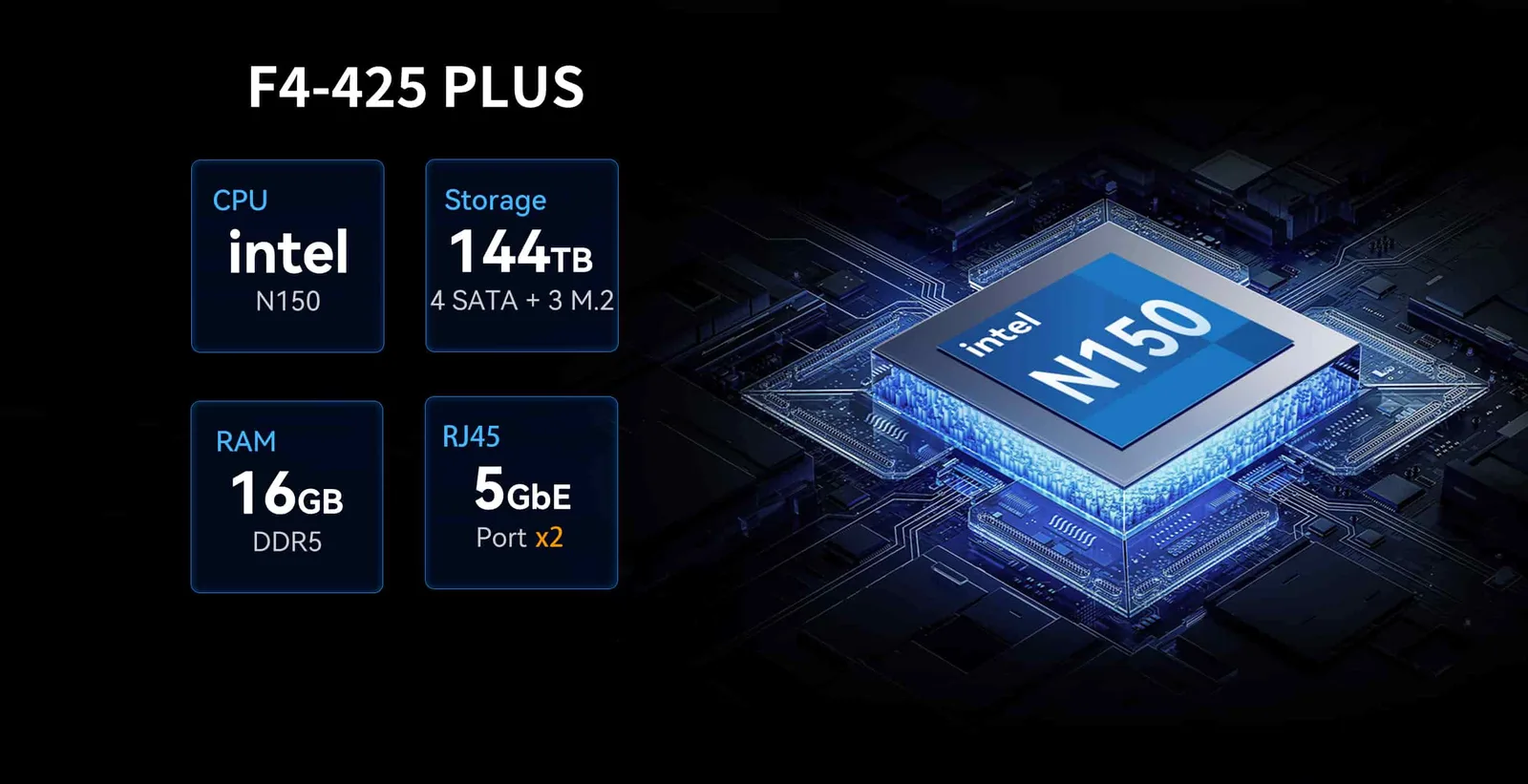
TerraMaster F4-425 Plus
What We Like
- Dedicated NVMe slots separate from HDD bays for a true hybrid storage tier
- Dual 5GbE networking outpaces most consumer NAS boxes in this bay count
- Outperformed TerraMaster's own higher-end F4-424 Max in sequential read tests with mechanical drives, by 150-300 MB/s, according to NASCompares
What to Consider
- Only 4 bays, so RAID 6-level dual-failure protection isn't practical here
- Real throughput depends on your own drive and network choices, not just the NAS
The F4-425 Plus is built around efficiency as much as raw power. Its Intel N150 processor runs at a low 6W TDP, and paired with 16GB of DDR5 memory and dual 5GbE ports it's positioned as an efficient platform for file serving, backup jobs, Docker containers, and light virtualization rather than a heavy always-on transcoding server.
The F4-425 Plus "delivers one of the most complete mid-tier NAS packages currently available, balancing strong hardware, efficient design, and flexible software at a highly competitive price." — NASCompares

TerraMaster F6-424
What We Like
- 6 bays makes RAID 6's dual-drive failure protection practical, not just theoretical
- Expandable RAM (up to 32GB) gives more headroom for multiple services
- Full RAID 0/1/5/6/10 plus TRAID/TRAID+ covers nearly every redundancy scenario
What to Consider
- No dedicated NVMe slots — all 6 bays are shared SATA HDD/SSD
- 2.5GbE ports are slower on paper than the F4-425 Plus's 5GbE
The F6-424 is the more business-leaning of the two. Its hardware transcoding covers H.264, H.265, and MPEG-4 up to 4K/60fps, and with six bays available it's genuinely built to run RAID 6, which tolerates two simultaneous drive failures — a level of protection that's hard to justify economically on a 4-bay unit.
Side-by-side comparison
| Feature | F4-425 Plus | F6-424 |
|---|---|---|
| Bays | 4x HDD + 3x M.2 NVMe | 6x 3.5"/2.5" SATA |
| Max raw capacity | Up to 144TB | Up to 132TB |
| Processor | Intel N150, up to 3.6 GHz | Intel N95, up to 3.4 GHz |
| Memory | 16GB DDR5 | 8GB DDR5 (expandable to 32GB) |
| Network | Dual 5GbE | Dual 2.5GbE |
| RAID options | RAID 0/1/5/6/10, TRAID/TRAID+ | RAID 0/1/5/6/10, TRAID, TRAID+ |
| Best for | Hybrid speed, home/small office | Growing storage, RAID 6 redundancy |
What to look for in a NAS
Beyond brand and bay count, a few factors decide whether a NAS actually fits your workload long-term.
Drive count vs. RAID level
RAID 5 is generally recommended for NAS devices with fewer than 5 drive bays, while RAID 6 needs at least 4 drives and is the preferred option for business-critical workloads that need to survive two simultaneous drive failures. Match your bay count to the RAID level you actually intend to run, not the one that sounds best on paper.
Mixed-capacity pooling
If you're consolidating drives you already own rather than buying a matched set, TerraMaster's TRAID technology can pool mismatched capacities into one volume while still reclaiming roughly 30% more usable space than a traditional RAID array, with single-drive failure protection built in.
Hybrid SSD/HDD allocation
Dedicating a small NVMe allocation (1-4TB) to virtual machines, databases, or media serving while relegating bulk archives to HDDs is a practical way to balance the 2026 cost realities of SSD pricing against the performance you actually need day-to-day. If you also want a portable way to watch that media away from the desk, our Dopesplay lapdock review covers screens that pair well with a home server.
How We Chose
Models were selected by comparing published manufacturer specifications against independent NAS review and RAID-education sources, focusing on bay configuration, processor/memory headroom, network throughput, and RAID/TRAID support.
Alternatives to consider
If neither F-Series model matches your bay count needs, TerraMaster's own lineup extends both directions: smaller 2-bay units for basic backup redundancy, and larger 8-bay-plus systems for businesses that have already outgrown a 6-bay array. The core trade-off stays the same across the line: more bays buy you RAID headroom and capacity, while hybrid NVMe slots (where available) buy you a dedicated fast-storage tier for the workloads that benefit from it, like databases or virtualization.
Final verdict
Choose the TerraMaster F4-425 Plus if you want a hybrid HDD+NVMe NAS for home media serving, light virtualization, or a small office that values 5GbE speed. Choose the TerraMaster F6-424 if you're planning around RAID 6-level redundancy or expect your storage needs to grow past 4 drives. Skip both if you need more than 6 bays today, or if you're not prepared to source and configure your own drives and RAID layout — neither model is a plug-and-play appliance.
Check current price at TerraMasterReferences
This TerraMaster NAS review is for general informational purposes and reflects publicly available manufacturer specifications and third-party review sources as of the last-reviewed date above. Storage hardware and firmware capabilities can change; verify current specifications and pricing on the manufacturer's site before purchasing. RAID and TRAID configurations protect against drive failure only — they are not a substitute for a separate backup strategy.
Recommended for you
 Tough On Accessories Review 2026: 4 Best Rugged Picks
 BeaverKeys Review 2026: Best Affordable Keyboard Store?
 Goblintechkeys Review 2026: Custom Keycaps & Keyboards
 Dopesplay Lapdock Review 2026: Best Phone-to-Laptop Setup?
 Level 2 EV Charger Guide: How to Pick the Best One (2026)
 EVIQO EV Charger Review 2026: Worth Buying? Full Guide